Showing posts with label Product Reviews. Show all posts

TP-Link Tapo C120 Camera Review 2026 – 4MP Indoor Outdoor Security Camera

INDOOR & OUTDOOR SECURITY

TP-Link Tapo C120 Camera Review 2026 – 4MP Wi-Fi Security Camera

2K QHD Video • Colour Night Vision • IP66 Weather Resistance

Looking for a security camera that can monitor your home, entrance, backyard or other suitable areas? The TP-Link Tapo C120 4MP Wi-Fi Security Camera is an option worth considering if you want a compact camera with colour night vision, smart detection and flexible mounting.

Unlike the pan-and-tilt cameras covered in our earlier reviews, the Tapo C120 has a fixed viewing angle. Its magnetic base makes positioning convenient, while its IP66-rated enclosure is designed to withstand dust and water exposure within the product's specified limits.

This detailed review covers the Tapo C120's video quality, night vision, weather resistance, AI alerts, storage, advantages, limitations and buying tips. Read on to decide whether this camera fits your security requirements.

TP-Link Tapo C120 4MP Security Camera

TP-Link Tapo C120 4MP QHD indoor outdoor Wi-Fi security camera with magnetic base

Direct product image hosted by TP-Link. Image display on Blogger has not been independently tested.

Check Price on Amazon →

Check the exact model, current price, seller and warranty before buying.

Quick verdict: The Tapo C120 is worth considering if you need a compact fixed-view camera with 4MP video, colour night vision, smart alerts and an IP66-rated design. Unlike a pan-and-tilt camera, it cannot rotate remotely to look around different corners.

1. TP-Link Tapo C120 Specifications

SpecificationDetails
Product modelTP-Link Tapo C120
Video resolution4MP 2K QHD, 2560 × 1440 pixels
Camera typeFixed-view Wi-Fi security camera
Field of viewApproximately 120° diagonal on the published specification
Night visionColour night vision with spotlights and infrared modes
Weather resistanceIP66-rated dust and water resistance
AI detectionPerson, pet, vehicle and other supported event detection
AudioBuilt-in microphone and speaker; two-way audio
Connectivity2.4GHz Wi-Fi
Local storagemicroSD card support up to 512GB
MountingMagnetic base and included mounting accessories
PowerWired power adapter; not a battery-powered camera

Specifications are based on TP-Link's published product information. Hardware versions and regional specifications may differ.

2. 4MP QHD Video Quality

The Tapo C120 records video at 2560 × 1440 pixels. This 4MP QHD resolution captures more pixels than standard 1080p Full HD, potentially helping you inspect details in the camera's field of view.

It can be useful for monitoring an entrance, a room, a garage or another fixed area. However, the image you get depends on lighting, camera placement, distance and network performance.

  • 4MP QHD resolution for everyday security monitoring.
  • A fixed viewing angle that suits a specific area.
  • Digital zoom support for inspecting parts of the image.
  • Actual clarity depends on distance and environmental conditions.
Buying tip: Before choosing a fixed camera, decide exactly which area you want to monitor. If you need to look around different corners remotely, consider a pan-and-tilt model instead.

3. Colour Night Vision for Dark Areas

One of the Tapo C120's main highlights is its colour night vision. Its starlight sensor and built-in spotlights help capture colour footage in suitable low-light conditions.

Colour footage can provide additional context when monitoring a driveway, entrance or backyard. The camera also supports infrared night vision, including a less-visible infrared mode for situations where visible illumination is undesirable.

  • Colour night vision supported by the sensor and spotlights.
  • Infrared night vision for darker conditions.
  • Useful for monitoring a suitable outdoor area after dark.
  • Actual visibility depends on lighting, distance and placement.

Remember that colour night vision may use the camera's spotlights. If you prefer not to illuminate the area, check the available infrared settings in the app.

4. IP66 Weather Resistance: Indoor and Outdoor Use

Unlike indoor-only cameras, the Tapo C120 has an IP66-rated enclosure. This rating indicates protection against dust and powerful water jets under specified test conditions.

This makes it suitable for many indoor and outdoor monitoring situations when installed correctly, such as a covered entrance, backyard or other area within the camera's operating limits.

Installation areaWhat to consider
Front entranceChoose a stable mounting position with a clear view.
BackyardCheck Wi-Fi strength, power access and the intended viewing angle.
GaragePosition the camera to avoid blind spots.
Exposed wallFollow the manufacturer's mounting and cable guidance.

Important: IP66 does not mean the camera can be submerged in water. Proper installation, cable placement and protection of the power connection remain important. Avoid unsafe electrical installations or exposed connections.

5. Magnetic Base for Flexible Placement

The Tapo C120 includes a magnetic base that can simplify positioning on a suitable metal surface. Its compact design and included mounting accessories provide additional placement options.

The camera can be mounted on a wall or ceiling using the appropriate hardware, or placed where its base can be securely attached. The included power cable also provides some flexibility when choosing a location.

  • Compact design for different installation locations.
  • Magnetic mounting on compatible metal surfaces.
  • Included mounting accessories for suitable installations.
  • Check the stability of the mounting surface before use.

Because the camera has a fixed field of view, take time to aim it correctly before finalising the installation.

6. AI Detection and Smart Notifications

The Tapo C120 supports smart detection features designed to help identify relevant activity. Supported AI detection can recognise people, pets and vehicles, with additional event detection options depending on the hardware version and app settings.

These features may help reduce irrelevant alerts compared with relying on basic movement detection alone. You can also configure supported activity zones to focus on selected areas.

FeaturePotential benefit
Person detectionReceive alerts for detected people.
Pet detectionMonitor activity involving pets.
Vehicle detectionIdentify supported vehicle-related events.
Baby-cry detectionReceive supported sound-event alerts.
Activity zonesFocus detection on selected areas.

AI detection is not perfect and can miss events or produce false alerts. Test notifications after setup and do not use the camera as your only emergency or alarm system.

7. Two-Way Audio and Sound Alarm

The built-in microphone and speaker support two-way audio, allowing you to listen to sounds near the camera and speak through your phone using the compatible app.

This can be useful for communicating with family members, checking on pets or speaking to someone near the monitored area.

The camera also supports a light-and-sound alarm feature. It may help draw attention to detected activity, but it is not a substitute for a dedicated security alarm system.

8. Local microSD Storage up to 512GB

The Tapo C120 supports local recording to a compatible microSD card with a capacity of up to 512GB. This gives you an option to store footage locally rather than relying entirely on cloud storage.

Tapo Care cloud-storage services may also be available for a separate subscription. The microSD card is purchased separately.

Storage optionDetails
microSD cardLocal recording; card sold separately.
Cloud storageSubscription required where available.
Recording durationDepends on capacity, settings and recorded activity.

Check the camera's current compatibility information before buying a card. Local storage is convenient, but footage stored only on the camera may be lost if the device or card is stolen or damaged.

9. Wi-Fi Connectivity and Installation

The Tapo C120 connects through 2.4GHz Wi-Fi and requires a power connection. It is not a wire-free battery camera, so plan for a safe and convenient power point before installation.

  • Check Wi-Fi signal strength at the intended location.
  • Make sure the camera can reach the router reliably.
  • Install the app and follow the setup instructions.
  • Test live viewing and notifications before relying on the camera.
  • Keep the app and camera firmware updated.

10. Pros and Cons

✓ Advantages

  • 4MP QHD video
  • Colour night vision with spotlights
  • IP66-rated weather resistance
  • Indoor and outdoor installation options
  • Compact design and magnetic base
  • Smart AI detection features
  • Two-way audio
  • Local microSD storage up to 512GB

✗ Limitations

  • Fixed viewing angle; no motorised pan-and-tilt
  • Requires continuous power
  • Needs a suitable 2.4GHz Wi-Fi connection
  • microSD card sold separately
  • Cloud storage may cost extra
  • Spotlights may be visible at night
  • AI alerts may occasionally be inaccurate

11. Who Should Consider the Tapo C120?

RequirementSuitability
Front door or entrance monitoringWorth considering with correct installation
Backyard or garageUseful if power and Wi-Fi are available
Colour footage after darkColour night vision is a key benefit
Remote viewing in several directionsA pan-and-tilt camera may be more suitable
Location without Wi-Fi or powerConsider a compatible battery-powered camera instead

12. Things to Check Before Buying

  1. Confirm the exact model: Check that the listing is for Tapo C120.
  2. Check weather resistance: Confirm the model and installation instructions for your intended location.
  3. Plan power access: The camera needs a power connection.
  4. Check Wi-Fi: Ensure the 2.4GHz signal reaches the installation point.
  5. Review storage: A compatible microSD card is sold separately.
  6. Check warranty and returns: Read the seller's current terms.
  7. Compare the price: Prices and availability can change, so check the current listing.

Check TP-Link Tapo C120 on Amazon

Review the latest price, seller details, warranty and availability before making your decision.

View on Amazon →

As an Amazon Associate, this website may earn from qualifying purchases.

13. Frequently Asked Questions (FAQs)

Q1. Is the TP-Link Tapo C120 a 4MP camera?

Yes. It supports 4MP QHD video at 2560 × 1440 pixels.

Q2. Can the Tapo C120 be used outdoors?

Yes. It has an IP66-rated enclosure for indoor and outdoor use when installed according to the manufacturer's instructions.

Q3. Does it offer colour night vision?

Yes. Its starlight sensor and built-in spotlights support colour night vision in suitable conditions.

Q4. Does the camera rotate remotely?

No. The Tapo C120 has a fixed viewing angle. Choose a pan-and-tilt model if you need remote camera movement.

Q5. What is the maximum microSD card capacity?

The manufacturer lists support for microSD cards up to 512GB. The card is purchased separately.

Q6. Does it require a power cable?

Yes. The Tapo C120 requires a power connection and is not a battery-powered wire-free camera.

Q7. Is cloud storage compulsory?

No. Local microSD recording is supported. Tapo Care cloud storage is an optional subscription service where available.

Final Verdict: Is the Tapo C120 Worth Considering?

The TP-Link Tapo C120 combines 4MP QHD video, colour night vision, AI-assisted alerts, two-way audio and an IP66-rated design in a compact fixed-view camera.

It is worth considering for a home entrance, backyard or other suitable area where you want a clear, fixed view and have access to power and Wi-Fi. Its magnetic base also makes placement more flexible.

Its main limitation is that it cannot rotate to follow activity around the room. If you need remote pan-and-tilt movement, consider a different model. Before ordering, check the current price, warranty, storage compatibility and installation requirements.

Disclosure: This article is for informational purposes. Product details are based on manufacturer information and may vary by hardware version or region. Amazon links may earn this website a commission from qualifying purchases. The product image is hosted on TP-Link's website; its display in Blogger has not been independently tested.

TP-Link Tapo C225 Camera Review 2026 – 4MP QHD AI Security Camera

SMART HOME CAMERA

TP-Link Tapo C225 Camera Review 2026 – 4MP QHD AI Security Camera

Physical Privacy Shield • 360° View • AI Detection • Invisible Night Vision

Choosing a home security camera is not just about video quality. You may also want useful motion alerts, clear night vision, remote viewing and a way to protect your privacy when the camera is not needed.

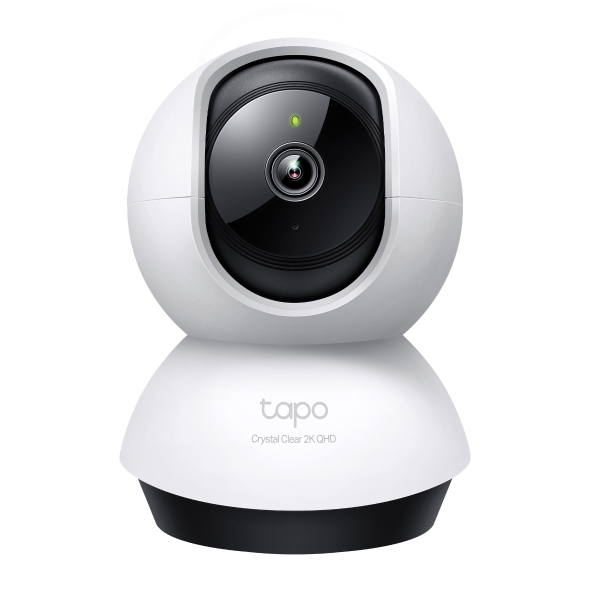
The TP-Link Tapo C225 Pan/Tilt AI Home Security Wi-Fi Camera is designed for indoor monitoring. It combines 4MP QHD video, motorised pan-and-tilt movement, smart detection features and two-way audio. Its standout feature is a physical privacy mechanism that turns the lens down into the camera housing.

In this detailed review, we look at the Tapo C225's specifications, privacy features, night vision, motion tracking, storage options, advantages, limitations and buying considerations. This guide can help you decide whether it is suitable for your home, bedroom, living room or pet-monitoring needs.

TP-Link Tapo C225 4MP AI Camera

TP-Link Tapo C225 4MP QHD indoor pan tilt security camera with physical privacy shield

Product image hosted on TP-Link's official website. Blogger hotlink display has not been independently tested.

Check Price on Amazon →

Check the exact model, current price, seller and warranty before ordering.

Quick verdict: The Tapo C225 is worth considering if you want a feature-rich indoor camera with a physical privacy shield, 4MP video, smart detection, motion tracking and local storage support. It requires a power connection and 2.4GHz Wi-Fi and is not designed for exposed outdoor installation.

1. TP-Link Tapo C225 Specifications

SpecificationDetails
ModelTP-Link Tapo C225
Video resolution4MP 2K QHD, 2688 × 1520 pixels
Pan coverage360° horizontal
Tilt coverage149° vertical
Image sensorCMOS starlight sensor
Night vision850nm and 940nm infrared LEDs; stated range up to 30 feet
PrivacyPhysical lens-conceal mechanism and privacy button
AI detectionPerson, pet, vehicle and supported sound/event detection
AudioBuilt-in microphone and speaker; two-way audio
Connectivity2.4GHz Wi-Fi
Local storagemicroSD card up to 512GB
Smart home supportApple HomeKit, Amazon Alexa and Google Assistant support
InstallationIndoor tabletop or ceiling mounting

Specifications are based on TP-Link's published product information. Features and compatibility may vary by hardware version, region and app version.

2. 4MP QHD Video Quality

The Tapo C225 records at 2688 × 1520 pixels, which TP-Link describes as 4MP 2K QHD. This resolution provides more image detail than standard 1080p Full HD under comparable conditions.

For everyday home monitoring, extra detail may help when viewing live footage or checking recorded activity. The camera also uses an f/1.6 aperture and a starlight sensor to help capture brighter images in low-light environments.

  • Useful for checking indoor activity from a compatible phone.
  • Higher resolution than a standard 1080p camera.
  • Suitable for monitoring a living room, bedroom or study.
  • Actual image quality depends on lighting, placement and network conditions.
Buying tip: Megapixels are only one part of image quality. Also consider night vision, lens quality, placement and whether the app provides the controls you need.

3. 360° Pan and 149° Tilt Coverage

The camera's motorised design allows it to turn horizontally and vertically. TP-Link specifies 360° horizontal pan coverage and 149° vertical tilt coverage.

This movement can be helpful if you want to monitor different parts of a room without installing several fixed-angle cameras. You can adjust the viewing direction using the compatible app.

  • Move the camera's view around a room remotely.
  • Check different corners of a living room or bedroom.
  • Use motion tracking to follow supported moving subjects.
  • Remember that walls, furniture and other obstacles still block the view.

Pan-and-tilt coverage does not mean the camera can see through walls or capture every angle simultaneously. Its field of view changes as the camera moves.

4. Physical Privacy Shield: The Main Highlight

One of the Tapo C225's most distinctive features is its physical lens-conceal mechanism. When privacy mode is activated, the lens turns down into the camera housing instead of continuing to point into the room.

This can be particularly useful in spaces where you want the camera available for security but do not want its lens facing the room at certain times.

Privacy featureBenefit
Physical lens concealmentTurns the lens down into the housing.
Privacy buttonProvides a convenient way to activate privacy mode.
App controlsLets you manage supported camera functions.

Important: Privacy mode should not automatically be treated as the same thing as unplugging the camera. If you need complete electrical isolation, disconnect the power. After setup, test the privacy mechanism and confirm its behaviour on your own device.

5. Invisible Infrared Night Vision

Night vision is important if you want to monitor a room after the lights are switched off. The Tapo C225 uses a starlight sensor and infrared LEDs to support monitoring in low-light conditions.

Its specifications include both 850nm and 940nm infrared illumination. The 940nm mode is designed to make the infrared light less visibly distracting, which can be useful in a bedroom or near pets that might react to visible red LEDs.

  • Supports monitoring in dark indoor environments.
  • Offers an invisible infrared mode.
  • Night vision is generally monochrome rather than natural colour.
  • Actual clarity depends on distance, room layout and reflective surfaces.

TP-Link states a night-vision range of up to 30 feet. This is a manufacturer-stated maximum, not a guarantee that every subject will be clearly identifiable at that distance.

6. AI Detection and Smart Alerts

The Tapo C225 supports AI-assisted detection designed to help identify different types of activity. Depending on the supported feature and configuration, it can recognise people, pets, vehicles and selected sound events.

Instead of relying only on a general movement alert, supported detection options can help you focus on the events that matter to you.

Detection featurePossible use
Person detectionReceive alerts for detected human activity.
Pet detectionMonitor activity involving pets.
Vehicle detectionIdentify supported vehicle-related events.
Sound detectionReceive supported sound-event alerts, such as baby crying.
Line-crossing detectionSet a virtual line and receive alerts when supported activity crosses it.

Detection is not perfect. Lighting, distance, obstructions and background noise can affect results. Review the app settings and test notifications after installation.

7. Smart Motion Tracking

The Tapo C225 can follow supported moving subjects by changing its viewing direction. TP-Link advertises tracking speeds of up to 120° per second.

This feature may help keep a moving person or pet within the camera's field of view for longer. It can be useful in larger rooms where a subject might otherwise move outside the view of a fixed camera.

  • Helps follow movement within the camera's coverage.
  • Works alongside supported detection features.
  • Useful for everyday indoor monitoring.
  • Performance depends on lighting, subject movement and obstructions.

Motion tracking is not a substitute for a multi-camera system where continuous coverage of several separate areas is required.

8. Two-Way Audio and Built-In Siren

The camera includes a microphone and speaker that support two-way audio. You can listen to sounds near the camera and speak through your phone using the compatible app.

This can be useful when checking on family members, communicating with someone in another room or interacting with pets while away from home.

The manufacturer also lists a sound-and-light alarm feature. It can be configured for supported security events, but it should not be treated as a replacement for a dedicated alarm system.

9. Local Storage up to 512GB

The Tapo C225 supports a compatible microSD card with a capacity of up to 512GB. This lets you store recordings locally, without relying entirely on a cloud-storage subscription.

TP-Link also offers Tapo Care cloud-storage services in supported regions, which require a separate subscription. The microSD card is purchased separately.

Storage optionWhat to know
microSD cardLocal recording; card sold separately.
Tapo Care cloudSubscription required where available.
Recording durationDepends on card capacity, settings and recorded activity.

Check the compatible card specifications before purchasing. Also remember that local recording does not guarantee that footage will survive theft or damage to the camera itself.

10. Apple HomeKit, Alexa and Google Assistant

The Tapo C225 supports integration with Apple HomeKit, Amazon Alexa and Google Assistant, subject to the compatibility of your region, device and setup.

This may be helpful if your home already uses compatible smart speakers or a smart-home ecosystem. Check the current compatibility details before purchasing if a particular platform is essential to your setup.

The camera uses 2.4GHz Wi-Fi. If your router supports both 2.4GHz and 5GHz networks, make sure you have a suitable 2.4GHz network available where the camera will be installed.

11. Pros and Cons

✓ Advantages

  • 4MP QHD video
  • Physical lens-conceal privacy mechanism
  • 360° horizontal and 149° vertical coverage
  • Starlight sensor for low-light monitoring
  • Invisible infrared mode
  • AI detection and motion tracking
  • Two-way audio
  • Local microSD storage up to 512GB
  • Apple HomeKit support

✗ Limitations

  • Indoor use only; not weatherproof
  • Requires a power connection
  • Uses 2.4GHz Wi-Fi
  • microSD card is an additional purchase
  • Cloud recording may cost extra
  • AI detection can produce false alerts
  • Privacy mode is not the same as unplugging power

12. Who Should Consider the Tapo C225?

RequirementSuitability
Indoor home securityWorth considering
Privacy-conscious usersPhysical lens concealment is a useful feature
Pet monitoringUseful detection and tracking features
Bedroom monitoring at nightInvisible infrared mode may be helpful
Outdoor gate exposed to rainChoose an outdoor-rated camera instead
Location without Wi-FiNot ideal without a compatible network

13. Things to Check Before Buying

  1. Confirm the exact model: Make sure the listing is for Tapo C225.
  2. Check Wi-Fi compatibility: A suitable 2.4GHz Wi-Fi network is required.
  3. Check the privacy feature: Confirm the physical lens-conceal mechanism on the exact version.
  4. Review storage requirements: The microSD card is sold separately.
  5. Check the warranty: Read the seller's warranty and return policy.
  6. Compare the current price: Prices and availability can change.
  7. Check smart-home compatibility: Verify that your preferred ecosystem is supported in your region.

Interested in the TP-Link Tapo C225?

Check the current Amazon listing for price, seller details, warranty and availability before making your decision.

View on Amazon →

As an Amazon Associate, this site may earn from qualifying purchases.

14. Frequently Asked Questions (FAQs)

Q1. Is the TP-Link Tapo C225 a 4MP camera?

Yes. It supports 4MP QHD video at 2688 × 1520 pixels.

Q2. What makes the Tapo C225 different?

Its physical lens-conceal privacy mechanism is a key feature, alongside QHD video, AI detection and invisible infrared night vision.

Q3. Does the camera support night vision?

Yes. It supports infrared night vision, including a 940nm invisible infrared mode.

Q4. What is the maximum microSD card capacity?

TP-Link lists support for microSD cards up to 512GB. The card is purchased separately.

Q5. Can the Tapo C225 track movement?

Yes. It supports smart motion tracking, with advertised tracking speed of up to 120° per second.

Q6. Does it work with Apple HomeKit?

Yes, Apple HomeKit support is listed by the manufacturer. Check regional and device compatibility before purchasing.

Q7. Can I install the camera outside?

The Tapo C225 is an indoor camera and does not have a weather-resistance rating. It should not be exposed to rain or outdoor weather.

Q8. Is cloud storage free?

Tapo Care cloud storage requires a subscription where available. Local microSD recording is another supported option.

Final Verdict: Is the Tapo C225 Worth Considering?

The TP-Link Tapo C225 is an indoor security camera with a useful mix of 4MP QHD video, pan-and-tilt coverage, AI-assisted detection, motion tracking and two-way audio.

Its physical privacy shield and invisible infrared mode make it particularly interesting for privacy-conscious households and people who want to monitor indoor spaces at night. Local microSD recording also offers an alternative to relying exclusively on cloud storage.

However, it still requires power and compatible Wi-Fi, and it is not suitable for exposed outdoor locations. Check the current listing, warranty, storage requirements and compatibility before ordering.

Disclosure: This article is for informational purposes. Product specifications are based on manufacturer information and may vary by version or region. Amazon links may earn this site a commission from qualifying purchases. The product image is hosted by TP-Link; display inside Blogger has not been independently tested.
TP-Link Tapo C220 Camera Review 2026 – 4MP AI Wi-Fi Security Camera

SMART HOME SECURITY

TP-Link Tapo C220 Camera Review 2026 – 4MP AI Wi-Fi Security Camera

2K QHD Video • AI Detection • Motion Tracking • Night Vision

Looking for an indoor security camera that can monitor your home, keep an eye on pets and send activity alerts to your phone? The TP-Link Tapo C220 Pan/Tilt AI Home Security Wi-Fi Camera is a feature-rich option worth exploring.

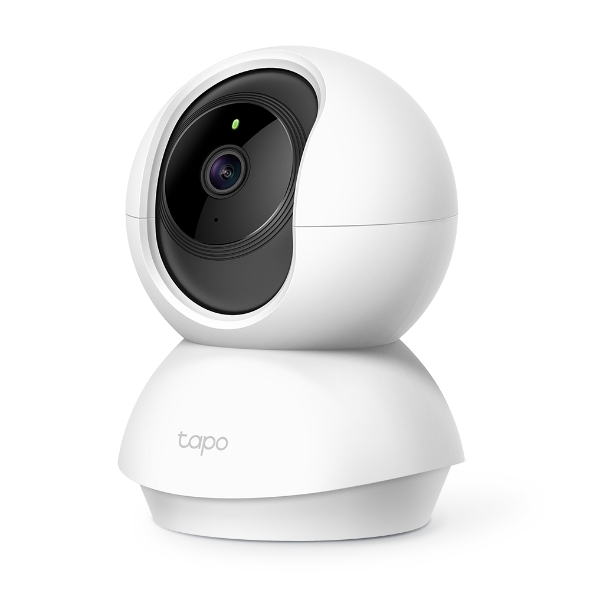
This camera combines 4MP QHD video recording with a motorised pan-and-tilt mechanism, smart detection features, infrared night vision and two-way audio. It also supports local recording on a compatible microSD card, which can be useful for people who prefer to store footage at home.

In this detailed review, we cover the Tapo C220's specifications, important features, potential advantages, limitations, storage options and buying considerations. The aim is to help you decide whether this indoor camera suits your home-security needs.

TP-Link Tapo C220 4MP Security Camera

TP-Link Tapo C220 4MP QHD pan tilt indoor security camera

Image source: TP-Link official website. Blogger image display has not been independently tested.

Check Price on Amazon →

Check the latest price, seller, warranty and availability on Amazon.

Quick overview: The Tapo C220 is an indoor Wi-Fi camera featuring 4MP QHD recording, 360° horizontal coverage, AI detection, motion tracking and two-way audio. A microSD card is sold separately, and cloud storage may require a subscription.

1. TP-Link Tapo C220 Specifications

SpecificationDetails
Product modelTP-Link Tapo C220
Video resolution4MP 2K QHD, 2560 × 1440 pixels
Horizontal coverage360° pan coverage
Vertical coverageApproximately 110°–114°, depending on specification/version
Night visionInfrared night vision, advertised up to 30 feet on the India product page
AI detectionPerson, pet and other supported event detection
AudioBuilt-in microphone and speaker
Connectivity2.4GHz Wi-Fi
Local storagemicroSD card up to 512GB
Cloud storageTapo Care subscription service, where available
Outdoor protectionIndoor camera; not weatherproof

Specifications are based on the manufacturer's published information. Feature availability may vary by hardware version, region and app version.

2. 4MP QHD Video: More Detail in Your Room

One of the Tapo C220's main attractions is its 2560 × 1440-pixel 4MP QHD resolution. It captures more pixels than a standard 1080p Full HD camera, potentially making it easier to inspect details in a room.

Higher resolution can be helpful when reviewing recorded footage or checking live video on your phone. However, image quality also depends on lighting, camera placement, network conditions and the distance between the camera and the subject.

  • Useful for everyday indoor monitoring.
  • Can provide more detail than a standard 1080p image.
  • Suitable for checking activity in a living room, bedroom or study.
  • Digital zoom does not guarantee clear details at long distances.
Buying tip: If you are comparing cameras, look at actual resolution, night performance and app features together instead of choosing by megapixel count alone.

3. 360° Pan-and-Tilt Coverage

A fixed security camera can only monitor the direction in which it is installed. The Tapo C220 uses a motorised pan-and-tilt design, allowing you to change its viewing direction through the compatible app.

The manufacturer advertises 360° horizontal coverage and approximately 110°–114° of vertical coverage, depending on the specification shown for the version. This makes the camera useful for checking different parts of a room without manually repositioning it.

  • Change the camera's direction remotely.
  • Monitor a wider indoor area from one installation point.
  • Check different corners of a room when needed.
  • Remember that walls, doors, furniture and other obstructions still block the view.

4. AI Detection and Smart Notifications

The Tapo C220 supports smart detection features designed to help distinguish relevant activity. Depending on the supported feature and app configuration, the camera can identify people and pets and provide notifications for other supported events.

These alerts can be more useful than receiving a notification every time something moves in the room. You can also configure activity zones on supported versions to focus on the areas that matter most.

FeatureWhy it matters
Person detectionHelps identify human activity.
Pet detectionUseful for checking pets indoors.
Motion detectionAlerts you when movement is detected.
Activity zonesCan help focus alerts on selected areas.
Sound-related detectionSome supported sound events may trigger notifications.

Detection is not perfect and may produce missed events or false alerts. Test the settings after installation and do not rely on a consumer Wi-Fi camera as your only emergency or alarm system.

5. Smart Motion Tracking

Motion tracking is another useful feature. When the camera detects movement, it can follow the moving subject by adjusting its direction, helping keep activity within the camera's view.

This may be helpful when monitoring pets moving around a room or checking activity in a larger indoor space. Tracking performance depends on the subject, lighting, obstructions and detection settings.

Keep in mind that motion tracking does not mean the camera can see through objects or monitor areas outside its physical field of view.

6. Infrared Night Vision

Night vision allows the Tapo C220 to continue monitoring when the room becomes dark. Its infrared system is designed for low-light and dark indoor environments.

  • Useful for monitoring rooms at night.
  • Can help you review activity when the lights are off.
  • Infrared footage is generally monochrome, not natural colour.
  • Actual visibility depends on the room layout and environmental conditions.

The India product page specifies night vision up to 30 feet. Treat this as a manufacturer-stated figure rather than a guarantee that every object will be clearly identifiable at that distance.

7. Two-Way Audio: Listen and Talk

The camera has a built-in microphone and speaker that support two-way audio. Using the compatible app, you can listen to sounds near the camera and speak through your phone.

Possible everyday uses include:

  • Talking to family members in another room.
  • Checking on pets while away from home.
  • Communicating with someone near the camera.
  • Listening for activity in the monitored area.

Audio clarity may vary with background noise, internet quality and the distance between the speaker and microphone.

8. Local microSD Storage up to 512GB

The Tapo C220 supports a compatible microSD card with a capacity of up to 512GB. Local storage can be useful if you want to keep recorded footage on a card inserted into the camera.

The memory card is purchased separately. If you prefer cloud recording, Tapo Care subscription services may be available depending on your region and plan.

Storage optionWhat to know
microSD cardLocal storage; card sold separately.
Cloud serviceSubscription may be required; availability varies.
PlaybackDepends on recording settings and the selected storage method.

Before buying a memory card, check the camera's compatibility requirements. Recording duration depends on card capacity, recording settings and the amount of activity captured.

9. Privacy Features and Account Security

A home camera should be convenient without compromising privacy. The Tapo C220 offers privacy controls, including configurable privacy zones, to help block selected areas from being monitored.

  • Use a strong, unique password for your account.
  • Keep the camera firmware and app updated.
  • Place the camera carefully to avoid unnecessary recording of private areas.
  • Review sharing permissions and account security settings.
  • Use privacy controls when you do not want selected areas monitored.

Privacy settings should be checked after installation to make sure they match your needs.

10. Pros and Cons

✓ Advantages

  • 4MP QHD video resolution
  • 360° horizontal coverage
  • Smart person and pet detection
  • Motion tracking support
  • Infrared night vision
  • Two-way audio
  • Local microSD storage up to 512GB
  • Customisable activity and privacy zones

✗ Limitations

  • Designed for indoor use
  • Requires a power connection
  • Uses 2.4GHz Wi-Fi
  • Memory card is sold separately
  • Cloud storage may cost extra
  • AI alerts are not always perfect
  • Performance depends on network and placement

11. Who Should Buy the Tapo C220?

RequirementSuitability
Indoor home monitoringWorth considering
Pet monitoringUseful features for indoor use
Monitoring a living roomPan-and-tilt coverage may help
Outdoor gate exposed to rainChoose a weatherproof outdoor camera
Location without Wi-FiNot suitable without a compatible network

12. Things to Check Before Ordering

  1. Confirm the model: Check that the listing says Tapo C220, not C210 or another camera.
  2. Check Wi-Fi: A suitable 2.4GHz Wi-Fi network is required.
  3. Check storage: A microSD card is sold separately.
  4. Review the warranty: Read the warranty and return policy on the listing.
  5. Compare the price: Check the current price and seller details before ordering.
  6. Confirm included accessories: Check the product package description.

Check TP-Link Tapo C220 on Amazon

See the current listing, seller information, warranty and availability before making your decision.

View on Amazon →

As an Amazon Associate, this website may earn from qualifying purchases.

13. Frequently Asked Questions (FAQs)

Q1. Is the TP-Link Tapo C220 a 4MP camera?

Yes. It supports 4MP QHD video at 2560 × 1440 pixels.

Q2. Does the Tapo C220 support 360° viewing?

It offers 360° horizontal pan coverage and a limited vertical tilt range.

Q3. Can it follow movement automatically?

Yes, it supports smart motion tracking. Results depend on detection, lighting and the environment.

Q4. Does it support night vision?

Yes. It uses infrared night vision for monitoring in low-light or dark indoor conditions.

Q5. What is the maximum microSD card capacity?

The manufacturer lists support for microSD cards up to 512GB. The card must be purchased separately.

Q6. Is a cloud subscription compulsory?

Cloud storage uses a subscription service where available. The camera also supports local microSD storage.

Q7. Can I install the Tapo C220 outdoors?

It is an indoor camera without a weather-resistance rating. Do not expose it to rain or outdoor weather.

Final Verdict: Is the Tapo C220 Worth Considering?

The TP-Link Tapo C220 brings together 4MP QHD video, pan-and-tilt coverage, AI detection, motion tracking, night vision and two-way audio in one indoor security camera.

It may suit households that want to monitor rooms or pets and receive activity alerts on a phone. Local microSD storage is another useful option for buyers who want to keep footage at home. However, it needs power and Wi-Fi, and it is not designed for exposed outdoor installation.

Before purchasing, compare the current price and warranty, confirm the exact model and check which features are available for your hardware version and region.

Disclosure: This article is for informational purposes. Product specifications are based on manufacturer information and may vary by version or region. The Amazon link is an affiliate link. The product image URL is hosted by TP-Link; its display in Blogger has not been independently tested.

TP-Link Tapo C210 Camera Review 2026 – 3MP Wi-Fi Security Camera Features

SMART HOME SECURITY

TP-Link Tapo C210 Camera Review 2026

3MP Video • 360° View • Night Vision • Two-Way Audio

Looking for a smart security camera to monitor your home, family, pets or indoor spaces? The TP-Link Tapo C210 Pan/Tilt Home Security Wi-Fi Camera is worth considering if you want remote viewing and a camera that can move to cover different parts of a room.

Instead of relying on a fixed viewing angle, this indoor camera can pan horizontally and tilt vertically. It also supports night vision, motion notifications, two-way audio and local video storage using a compatible microSD card. In this detailed review, we explain its features, specifications, benefits, limitations and the things you should check before buying.

TP-Link Tapo C210 Smart Camera

TP-Link Tapo C210 indoor pan tilt Wi-Fi security camera

Product image: TP-Link official website. Image hotlink has not been tested inside Blogger.

Check on Amazon →

Price and availability may change. Check the current listing before ordering.

Quick verdict: The Tapo C210 is an indoor Wi-Fi camera to consider if you need remote live viewing, a movable viewing angle and two-way communication. It is not a weatherproof outdoor camera, so choose an outdoor-rated model for an exposed gate or terrace.

1. TP-Link Tapo C210: Key Features

FeatureDetails
Video resolution3MP, 2304 × 1296 pixels
Viewing movement360° horizontal coverage; 114° vertical range specified by TP-Link
Night visionInfrared night vision up to 30 feet under suitable conditions
CommunicationBuilt-in microphone and speaker
Connectivity2.4GHz Wi-Fi
Local storagemicroSD card support; check the exact hardware version for capacity
Smart alertsMotion detection and phone notifications
PrivacyPrivacy Mode through supported app controls

2. 3MP Video Quality: See More Details

The camera records video at 2304 × 1296 pixels, marketed as 3MP or 2K-class resolution. This can help you see more detail than a basic lower-resolution camera, especially when checking activity inside a room.

Actual image quality depends on lighting, camera placement, Wi-Fi performance and the viewing device. Digital zoom cannot recreate details that were not captured clearly, so place the camera at a useful distance from the area you want to monitor.

3. Pan and Tilt for Wider Room Coverage

A fixed camera watches one direction. The Tapo C210 can rotate horizontally and tilt vertically, allowing you to change its viewing angle from the app. Its advertised horizontal coverage is 360°, while the specified vertical range is 114°.

  • Monitor a living room or bedroom from a central position.
  • Check different areas of a room without physically moving the camera.
  • Use the app to adjust the viewing direction remotely.
  • Remember that furniture, walls and other obstructions can still block the view.

4. Night Vision for After-Dark Monitoring

The camera includes infrared night vision with a stated viewing distance of up to 30 feet (around 9 metres). This is useful for monitoring an indoor area when the lights are switched off.

Infrared night vision is generally shown in monochrome rather than natural colour. The actual range and clarity may vary with room layout, reflections and other environmental conditions. If colour night vision is essential, check that feature specifically before purchasing a different camera model.

5. Two-Way Audio: Listen and Talk

The built-in microphone and speaker support two-way audio. When connected through the app, you can listen to sounds near the camera and speak through your phone.

This may be useful for talking to family members, checking on pets or communicating with someone in another room. Audio quality can depend on network strength, background noise and the distance between people and the device.

6. Motion Detection and Phone Notifications

The Tapo C210 can detect movement and send notifications to your phone. This can help you check activity when you are away from home. The camera's placement and sensitivity settings can affect how useful these alerts are.

  • Position the camera to cover the entrance or room you want to monitor.
  • Test notifications after setup.
  • Adjust detection settings to reduce unwanted alerts where supported.
  • Keep the app and device firmware updated.

Important: A motion alert is not a guarantee that every event will be detected. Do not treat a Wi-Fi camera as a replacement for a complete alarm system or emergency service.

7. microSD Card and Cloud Storage

The camera supports local recording to a compatible microSD card. This may be useful if you want to review recorded footage without relying entirely on a cloud-storage subscription. Cloud services, where available, may involve separate charges.

Before buying a memory card, confirm the supported capacity for your camera's hardware version and check the recording settings in the app. The card is not included in the standard package described on the manufacturer's product page.

8. Pros and Cons

✓ Pros

  • 3MP high-definition video
  • Movable pan-and-tilt viewing angle
  • Infrared night vision
  • Two-way audio
  • Motion notifications
  • Local microSD storage option
  • Privacy Mode support

✗ Cons

  • Designed for indoor use, not exposed outdoor locations
  • Requires a power connection
  • Uses 2.4GHz Wi-Fi
  • microSD card is an additional purchase
  • Cloud services may cost extra
  • Recording and alerts depend on setup and network conditions

9. Who Should Consider the Tapo C210?

Use caseSuitability
Living room monitoringA practical option
Checking on pets indoorsUseful, including two-way audio
Monitoring an indoor entranceSuitable if Wi-Fi and power are available
Exposed outdoor gateChoose a suitable weatherproof outdoor camera instead
Places without Wi-FiNot the ideal choice without a compatible network setup

10. Things to Check Before Buying

  1. Exact model: Make sure the listing is for Tapo C210 and check the hardware version.
  2. Wi-Fi compatibility: Confirm that a suitable 2.4GHz Wi-Fi network is available where you plan to install it.
  3. Storage: Check the supported microSD capacity and whether a card is included.
  4. Warranty: Read the warranty and replacement terms shown on the current Amazon listing.
  5. Price: Compare the current selling price, seller details and delivery options before ordering.
  6. Privacy: Use a strong account password, keep the firmware updated and place the camera thoughtfully.

Interested in the TP-Link Tapo C210?

Check the latest listing for current pricing, availability, warranty details and included accessories.

Buy on Amazon →

Affiliate disclosure: As an Amazon Associate, this site may earn from qualifying purchases.

11. Frequently Asked Questions (FAQs)

Q1. Is the TP-Link Tapo C210 a 2K camera?

It is marketed as a 3MP 2K-class camera and records at 2304 × 1296 pixels.

Q2. Can I watch the camera remotely?

Remote viewing is supported through the Tapo app when the camera and network are correctly configured and internet access is available.

Q3. Does it support night vision?

Yes. The manufacturer specifies infrared night vision with a range of up to 30 feet under suitable conditions.

Q4. Can I talk through this camera?

Yes. Its built-in microphone and speaker support two-way audio through the compatible app.

Q5. Is the camera suitable for outdoor installation?

The Tapo C210 is an indoor camera and is not designed to be exposed to rain or outdoor weather.

Q6. Is a memory card included?

The manufacturer's standard package information does not list a microSD card. Check the seller's exact package details before purchasing.

Final Verdict

The TP-Link Tapo C210 offers a useful combination of 3MP video, pan-and-tilt coverage, night vision, two-way audio and microSD recording support. It is worth considering for indoor monitoring if you have a reliable 2.4GHz Wi-Fi network and a convenient power point.

Before buying, check the current Amazon listing carefully for the exact model, price, warranty and storage compatibility. If you need a camera for an uncovered outdoor area, choose a model specifically rated for outdoor use.

Product information is based on manufacturer specifications. Features can vary by hardware version, app version and region. Image is hosted on the manufacturer's website; Blogger hotlink display has not been independently tested.

Modern Ceramic Table Lamp Review 2026 – Stylish Home Décor Idea

Modern Ceramic Table Lamp Review 2026

Give your bedroom or living room a warm and elegant makeover with a modern ceramic table lamp. Its decorative base and fabric shade can add a cosy touch to a bedside table, reading corner or living room console.

Product Overview

A ceramic table lamp combines decorative appeal with practical lighting. A neutral-coloured lamp can complement modern, minimalist, contemporary and rustic interiors.

Product inspiration: Homesake Modern Ceramic Table Lamp with Fabric Shade.

Key Features

Feature Details
Product type Decorative table lamp
Base material Ceramic
Shade Fabric shade
Suitable locations Bedroom, living room and reading corner
Bulb Check the selected model; the referenced listing states that the bulb is not included.

Why Consider This Table Lamp?

  • Elegant appearance: A decorative lamp can make a bedside table look more complete.
  • Cosy atmosphere: A suitable warm-white bulb can create a relaxing evening ambience.
  • Versatile placement: Use it on a side table, bedside table or console, subject to available space.
  • Easy styling: Pair it with books, a small vase or a neutral lampshade to create a coordinated look.

Pros and Cons

Pros

  • Attractive decorative design
  • Suitable for different room styles
  • Can provide soft ambient lighting
  • Useful as a bedside accent

Cons

  • Needs a nearby power socket
  • Bulb may need to be purchased separately
  • Ceramic requires careful handling
  • Dimensions should be checked before buying

Who Should Buy It?

This style of lamp may suit people decorating a bedroom, refreshing a living room or creating a small reading corner. Before ordering, compare the product dimensions, shade colour, bulb fitting, delivery charges and return policy.

Check the Latest Price

View the available table lamp designs and current offers on Amazon India.

Buy on Amazon

Price and availability may change. This is an affiliate search link, not a confirmed offer for a specific model.

Frequently Asked Questions

1. Is a ceramic table lamp suitable for a bedroom?

Yes. It can work well on a bedside table if its dimensions and lighting suit your room.

2. Does the lamp include a bulb?

It depends on the selected model. Check the listing carefully before placing an order.

3. Which bulb colour is best for a cosy atmosphere?

A warm-white bulb is a popular choice for relaxing bedroom and living room lighting. Check the lamp's bulb compatibility first.

4. How should I clean a ceramic table lamp?

Switch it off, unplug it and wipe the base gently with a soft, dry cloth. Follow the seller's care instructions for the shade.

Final Verdict

A modern ceramic table lamp can be a useful finishing touch for a home décor makeover. Choose a design that matches your furniture, check the actual product photographs and specifications, and compare the final price before buying.

Disclosure: This post contains an Amazon affiliate link. We may earn a commission from qualifying purchases at no additional cost to you.

boAt Stone 350 Bluetooth Speaker Review 2026 – Features & Battery

BESTSELLERITEM • AUDIO REVIEW

boAt Stone 350 Bluetooth Speaker Review 2026

Portable Audio • 10W Output • IPX7 Rating • Bluetooth 5.0

Looking for a compact wireless speaker for music at home, small gatherings or outdoor activities? The boAt Stone 350 Bluetooth Speaker is a portable audio device featuring Bluetooth connectivity, AUX input, TF card support and a built-in microphone.

In this review, we cover its official specifications, useful features, advantages, limitations and the things you should check before buying. No fixed selling price or customer rating is assumed because these can change over time.

boAt Stone 350 Portable Speaker

boAt Stone 350 black portable Bluetooth speaker

Image source: Official boAt website. The direct image URL was opened and displayed during research. Blogger hotlinking may still vary.

Check on Amazon

Check the listing for current price, colour, seller, warranty and package contents.

Quick Verdict

The boAt Stone 350 is worth considering if you want a portable speaker with 10W rated output, Bluetooth 5.0, AUX connectivity, TF card support and an IPX7 water-resistance rating. Remember that its official specification identifies it as a mono speaker, despite stereo wording elsewhere on the product page.

1. boAt Stone 350 Specifications

Specification Details
BrandboAt
ModelStone 350
Speaker typeMono, according to official detailed specifications
Rated output10W
Driver52mm full-range driver
BluetoothVersion 5.0 + EDR
Bluetooth rangeUp to 10 metres under suitable conditions
Battery capacity2200mAh
Advertised playbackUp to 12 hours; actual time varies with use
Water-resistance ratingIPX7
ConnectivityBluetooth, AUX and TF card
MicrophoneBuilt-in microphone
TWSSupports pairing two compatible Stone 350 speakers
Charging timeApproximately 1.5–2 hours, depending on listed specification

Specifications are based on boAt's official product and support pages. Playback time is a maximum advertised figure, not a guarantee. Check the exact variant and its supplied accessories before ordering.

2. Key Features Explained

🔊 10W Audio Output

The speaker has a listed 10W output and a 52mm full-range driver. It is designed for everyday music playback, podcasts and other audio. Loudness and bass performance depend on the room, music and listening volume.

📱 Bluetooth 5.0 Connectivity

Pair the speaker with a compatible smartphone, tablet or laptop for wireless audio playback. The listed Bluetooth range is up to 10 metres, but walls and wireless interference can reduce the practical range.

🔋 Up to 12 Hours of Playback

The advertised playback time is up to 12 hours with its 2200mAh battery. Actual battery life can be shorter depending on volume, content, battery condition and connection method.

💧 IPX7 Water-Resistance Rating

The IPX7 rating relates to water protection under specified test conditions. It does not mean the speaker is protected against dust, and it should not be treated as permission to expose it routinely to water, soap or other liquids. Follow the product manual's precautions.

🎵 AUX and TF Card Support

AUX connectivity provides a wired audio option, while TF card support lets you play compatible audio files from a memory card. Check the manual for supported file formats and connection instructions.

📞 Hands-Free Calling

The built-in microphone supports calls when connected to a compatible phone. Call clarity will depend on background noise, distance and the connected device.

🔗 True Wireless Stereo Pairing

TWS functionality allows two compatible Stone 350 speakers to be paired for a broader listening setup. A second speaker is required and may need to be purchased separately.

3. Pros and Cons

✔ Pros

  • 10W rated output
  • Portable wireless design
  • Bluetooth 5.0 connectivity
  • AUX and TF card options
  • Built-in microphone for calls
  • IPX7 water-resistance rating
  • TWS pairing support

✘ Things to Consider

  • Official detailed specifications list a mono speaker
  • Actual playback time varies with volume and use
  • No built-in Wi-Fi streaming is listed
  • IPX7 is not a dust-resistance rating
  • A second speaker is needed for TWS pairing
  • Check package contents and warranty for your seller

4. Who Should Consider This Speaker?

Use Case Why It May Fit
Everyday musicWireless playback from a phone or compatible device.
Podcasts and videosA portable option for listening away from phone speakers.
Small gatheringsCan provide personal or small-room audio, depending on surroundings.
Wired audio playbackAUX input offers an alternative to Bluetooth.
Outdoor useIts water-resistance rating may be useful, but protect it from dust, impact and unsafe exposure.

5. Things to Check Before Buying

  1. Confirm the model: Make sure the listing is for boAt Stone 350, not Stone 350 Deadpool Edition or a different Stone speaker.
  2. Check the seller: Review seller details, return conditions and the warranty applicable to your purchase.
  3. Review package contents: Check whether the listing includes a charging cable and audio cable. A charging adapter may not be included.
  4. Understand playback claims: Up to 12 hours is an advertised maximum, and actual performance will vary.
  5. Check water precautions: Do not assume IPX7 protects the speaker against dust or every type of liquid exposure.
  6. Compare the current price: Use the Amazon link below to check current listings rather than relying on an old price.

Important Specification Note

The boAt product page uses “stereo sound” in some promotional text, while its detailed specifications list the Stone 350 as mono with one driver. This review uses the detailed specification for the speaker type. Verify any model-specific claim on the listing before buying.

6. Frequently Asked Questions

Q1. What is the output power of boAt Stone 350?

The official detailed specification lists a rated output of 10W.

Q2. How long does its battery last?

The advertised playback time is up to 12 hours. Actual playback time depends on volume, usage and battery condition.

Q3. Is the Stone 350 water-resistant?

It carries an IPX7 water-resistance rating. Follow the manual's precautions and remember that IPX7 does not indicate dust protection.

Q4. Can I connect it without Bluetooth?

Yes. The official specifications list AUX connectivity and TF card support in addition to Bluetooth.

Q5. Can I answer phone calls using this speaker?

The speaker includes a microphone and supports hands-free calling with a compatible connected phone.

Q6. Can I pair two Stone 350 speakers?

The official support information describes TWS pairing between two Stone 350 units. A second compatible speaker is required.

Q7. What is the current price?

Prices and availability change over time. Check the current Amazon listing for the latest price, seller, variant and warranty details.

Final Verdict

The boAt Stone 350 offers portable audio with 10W rated output, Bluetooth 5.0, AUX, TF card support, a built-in microphone and an IPX7 water-resistance rating. It is worth considering for everyday listening if these features match your needs. Check the exact variant and package details before ordering.

Check on Amazon

Affiliate Disclosure: This article contains an Amazon affiliate link. BestSellerItem may earn a commission if you purchase through the link, at no extra cost to you. Specifications are based on official boAt information; confirm the exact model and listing details before purchase.